
One ordering system.
Every channel.
Kiosk, website, QR table, phone, POS, table service and delivery: Cogswell Eat connects every way to order with one pricing logic, one kitchen board and one back office. For restaurants, fast casual chains, takeout spots and food trucks.
- Kiosk open 24/7
- 6 languages, including Arabic
- No card data in the system
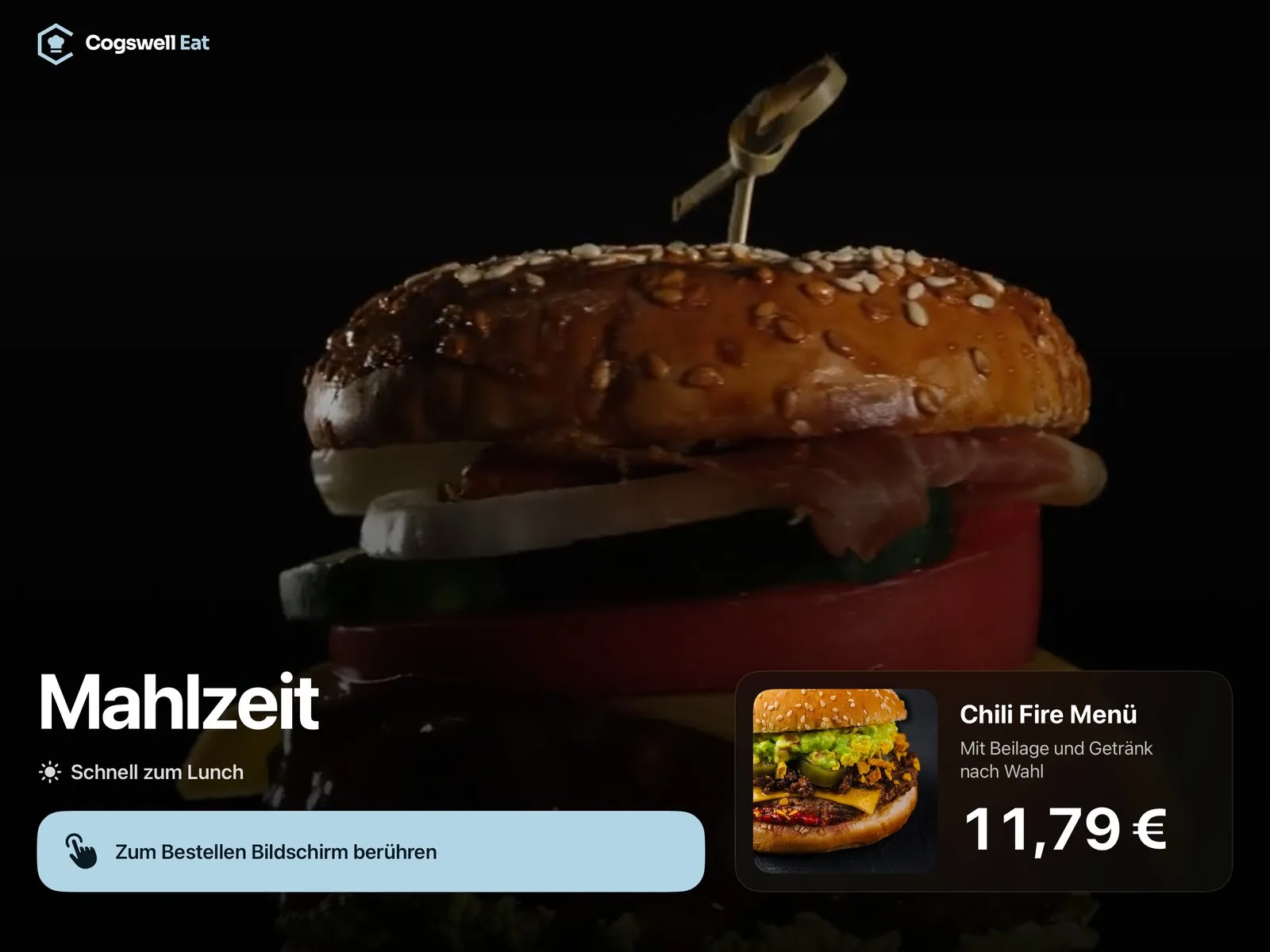
Every channel shares the same menu, prices, promotions and availability. What guests see is exactly what they pay, no matter where they order.
The life of an order.
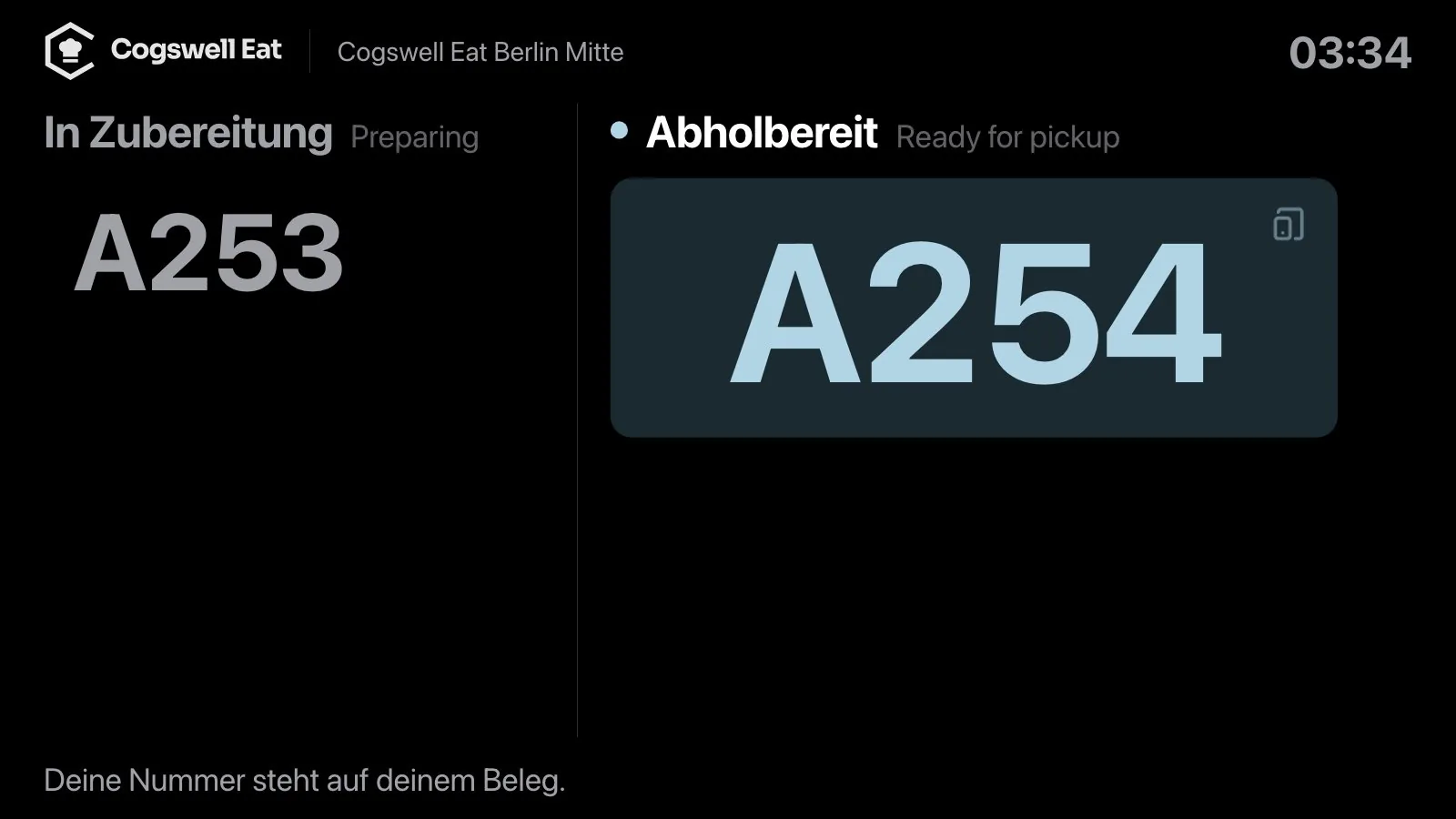
A real order from the demo, captured at every station. All real screens, no mockups.


One price. Everywhere.
In Cogswell Eat, promotions, coupons, meal prices and taxes are calculated in exactly one place: the server. That's why the kiosk, the browser, the table, the phone and the POS all show the same total. Not roughly. To the cent.
1× Classic Smash Meal, medium, fries, Coke
€9.49Pickup today, 6:30 PM. Pay online or at pickup
€9.49Pay in full, a share or by item
€9.49“Your total is €9.49, pay at the counter when you pick up.”
€9.49VAT included, receipt via QR code
€9.49If a price changes between cart and payment, say because happy hour just ended, the guest sees the new amount before paying. There are no silent differences.
Guests order wherever they are.
At home, at the table or on the go: online ordering, QR table ordering and reservations run in the browser on the guest's smartphone. No app, no customer account.
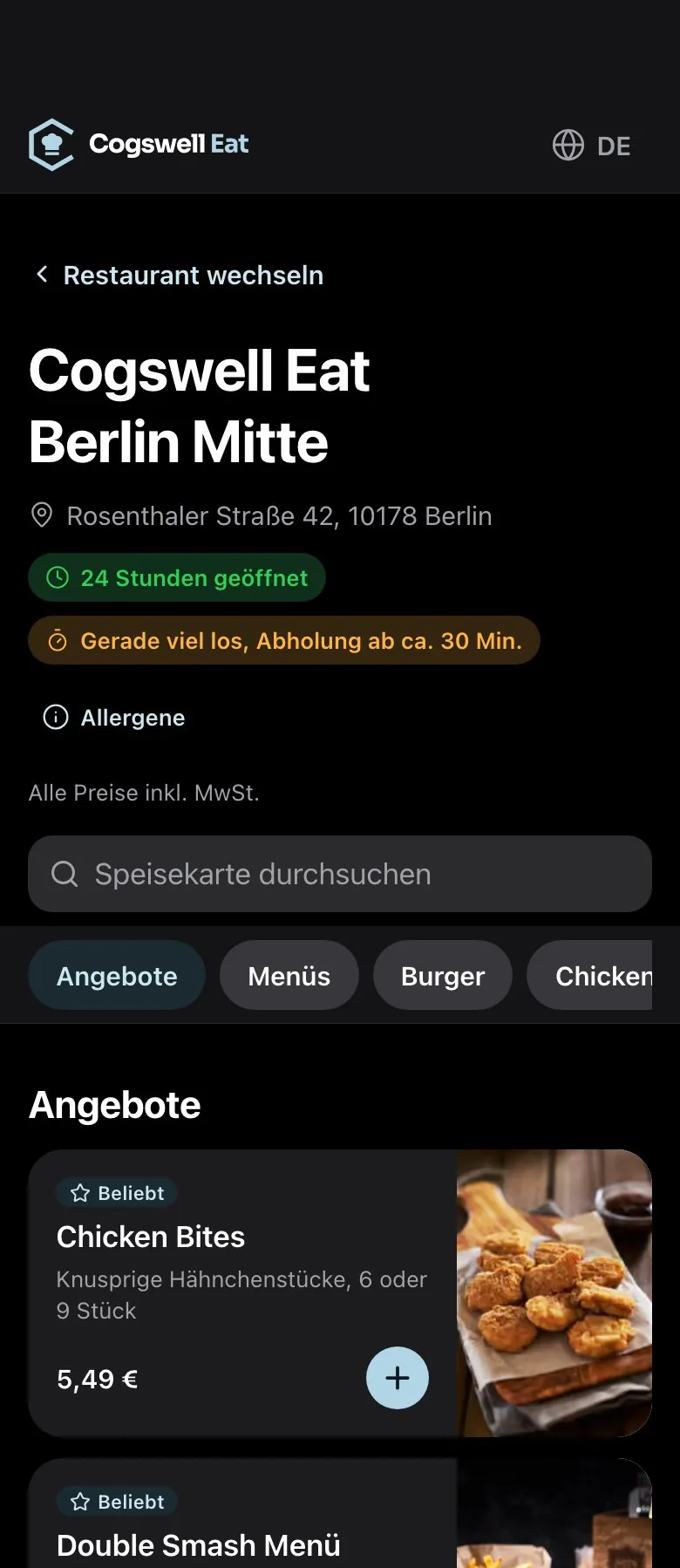
Online ordering
Click & collect with a preferred pickup time, payment online or at pickup, and live status all the way to the counter.
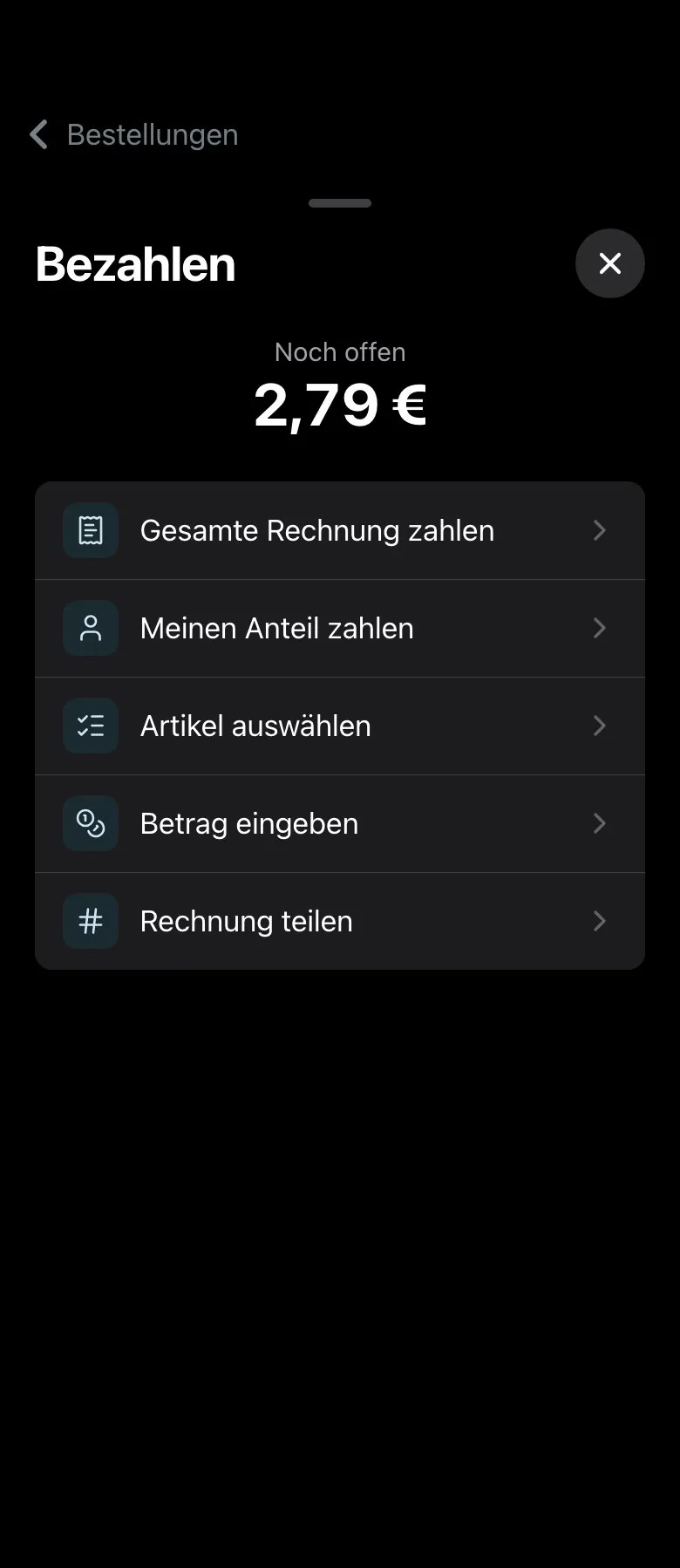
QR table ordering
Order, order more, call your server. And pay the bill in full or split it by share, by item, by amount or evenly.
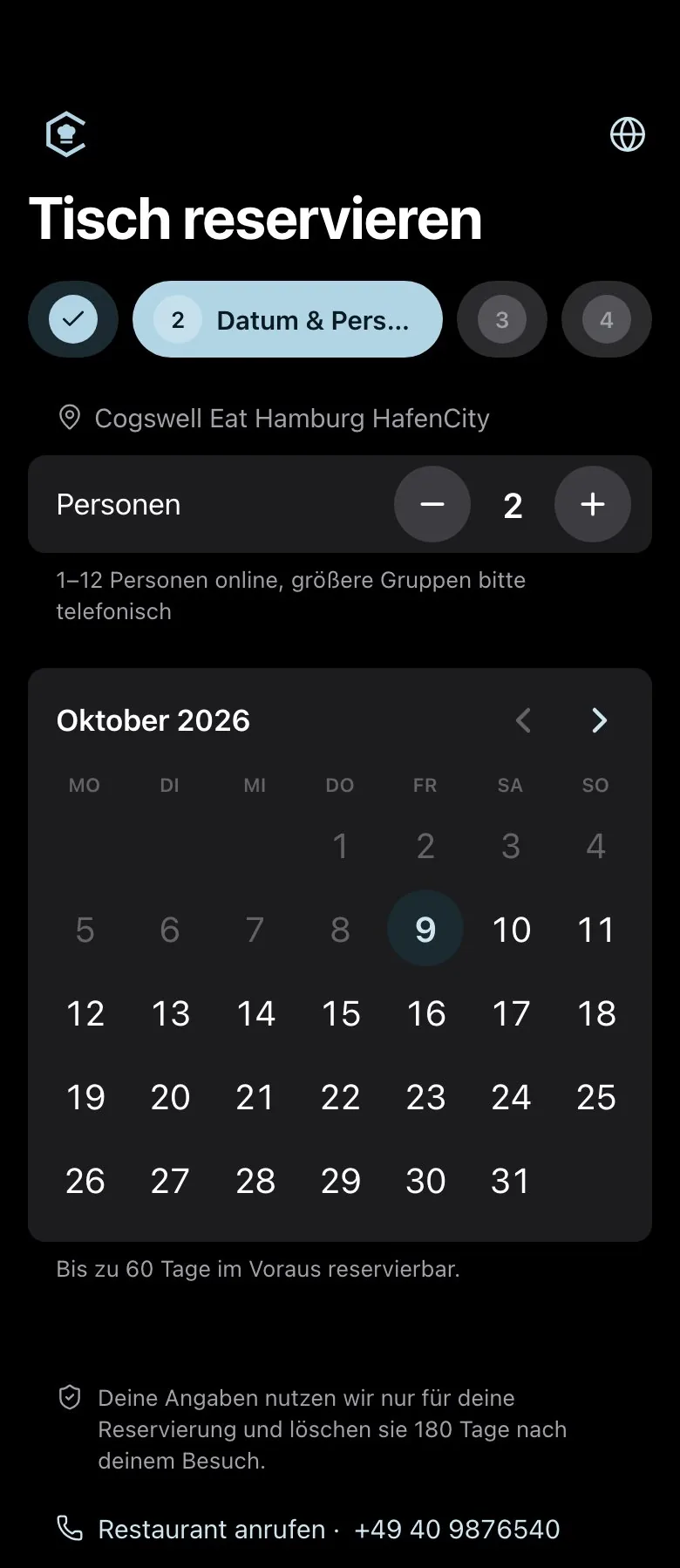
Reservations
Online booking with confirmation, reminders, a waitlist and walk-ins, with no double bookings.

The kiosk never clocks out.
Attract loop, configurator, meals, upsell and coupons on the 13″ iPad Pro. Locked with a staff PIN, open around the clock. If nobody taps, it shows a warning for 15 seconds and then starts over. Breakfast and happy hour still switch on by time of day.
- One-tap meal upsell
- Coupons right at the kiosk
- Locked kiosk mode
Cogswell Eat Berlin Mitte, good evening! What can I get ready for you?
Two Classic Smash meals, one of them with a Coke Zero.
Sure: two Classic Smash meals, one with a Coke Zero. Your total is €18.98, pay at the counter when you pick up. Does that work?
Yes. I'll pick it up at six thirty, the name is Jana.
Your order is in: number P 1 1 8, pickup today at 6:30 PM.
Pickup 6:30 PM · Jana
The phone rings. The kitchen is already cooking.
Nobody free to grab the phone during the rush? The voice assistant is. It knows your menu, asks for required choices, reads back the order and total, and after the “yes” sends it straight to the kitchen board.
- Prices come from the server, never from memory
- Preferred pickup time within opening hours
- No recording, no transcript, contact details deleted after 30 days
Your drivers.
Your delivery.
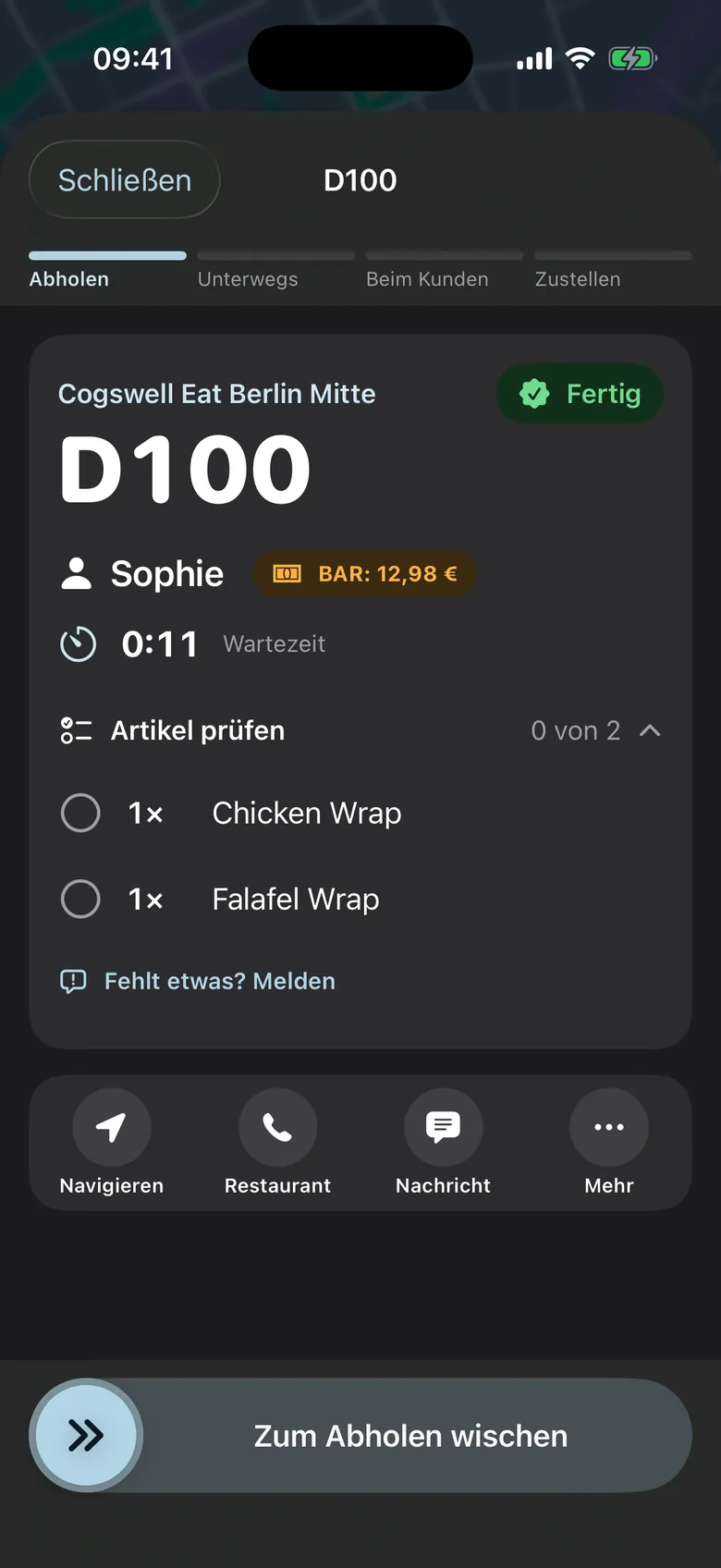
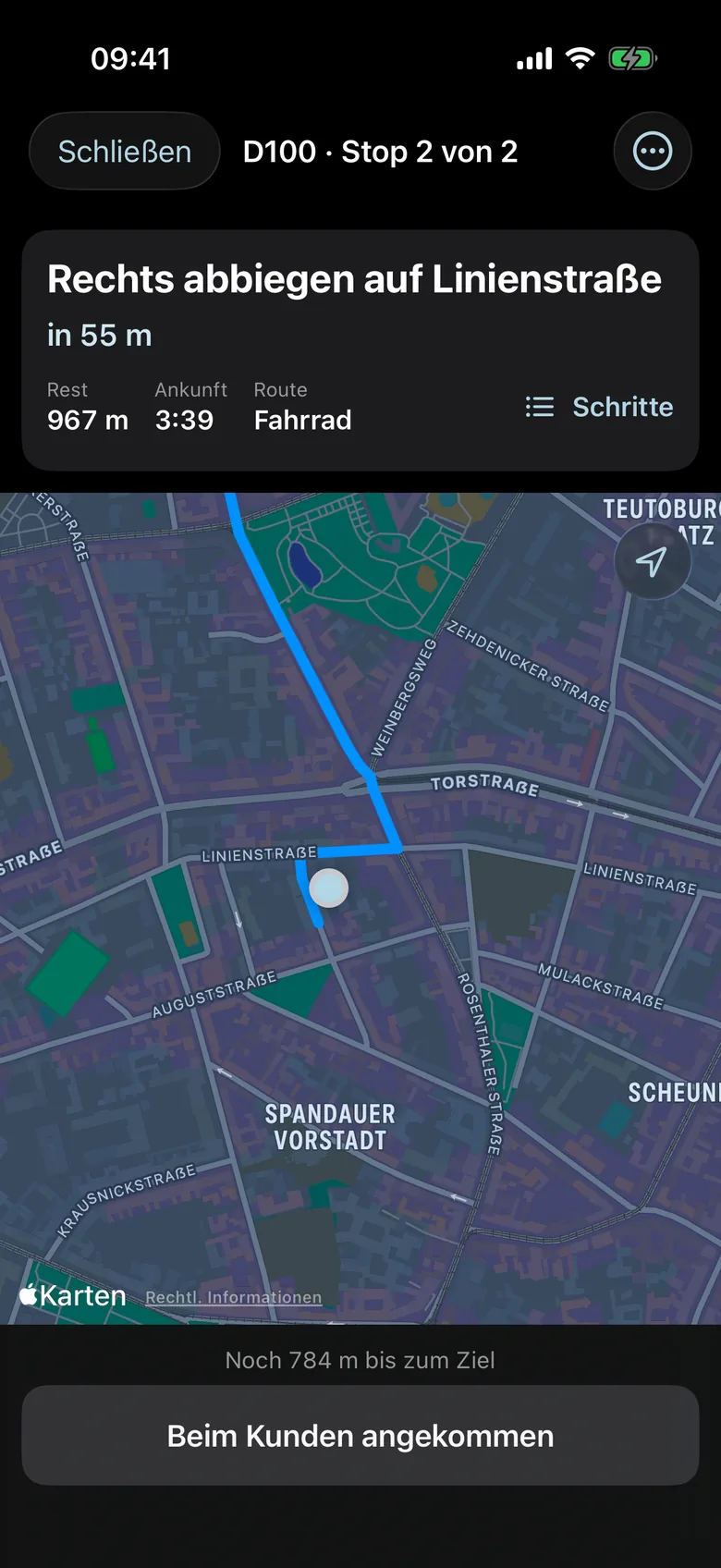
Delivery orders land in dispatch, auto-dispatch assigns them to your drivers, and the driver app on the iPhone guides them step by step to the front door. No delivery platform in between, and the same pricing logic as every other channel.
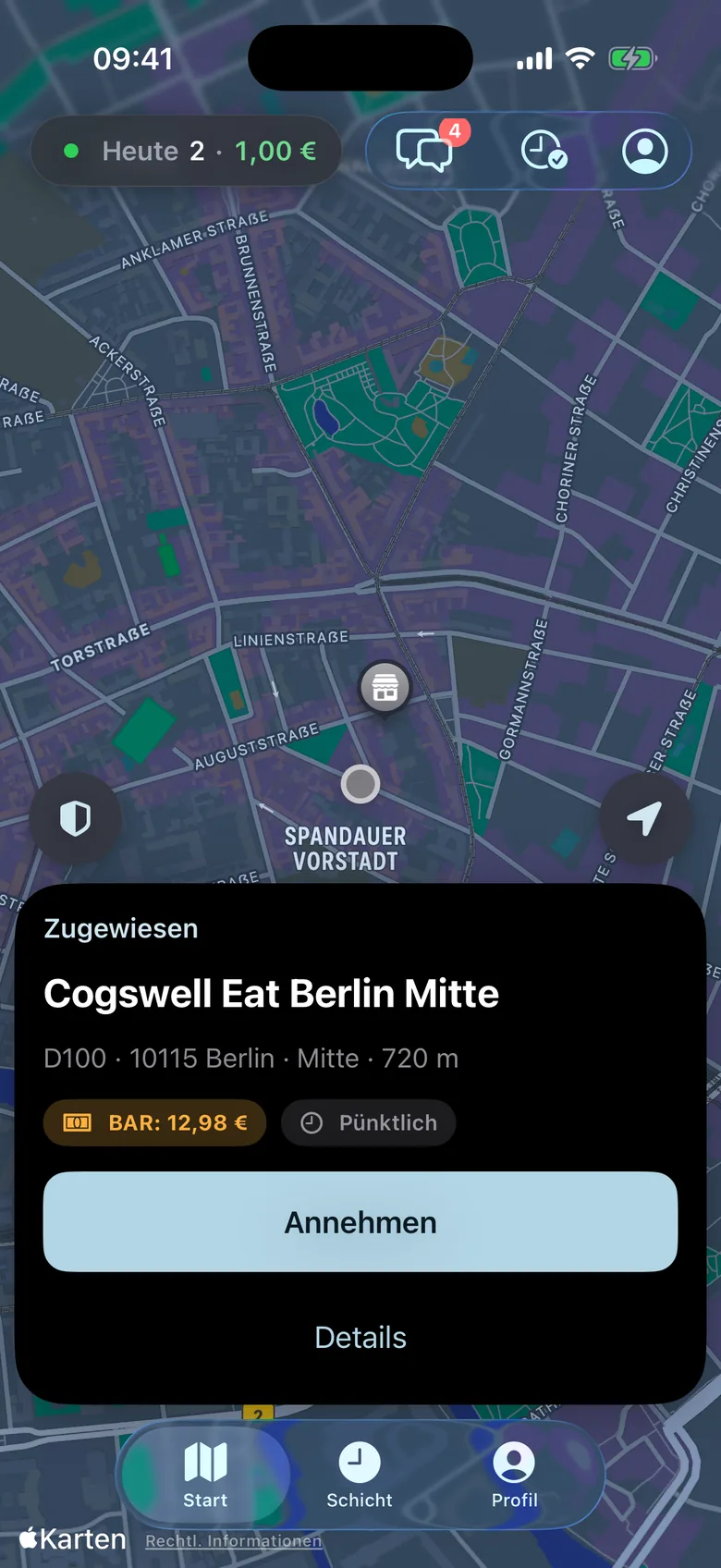
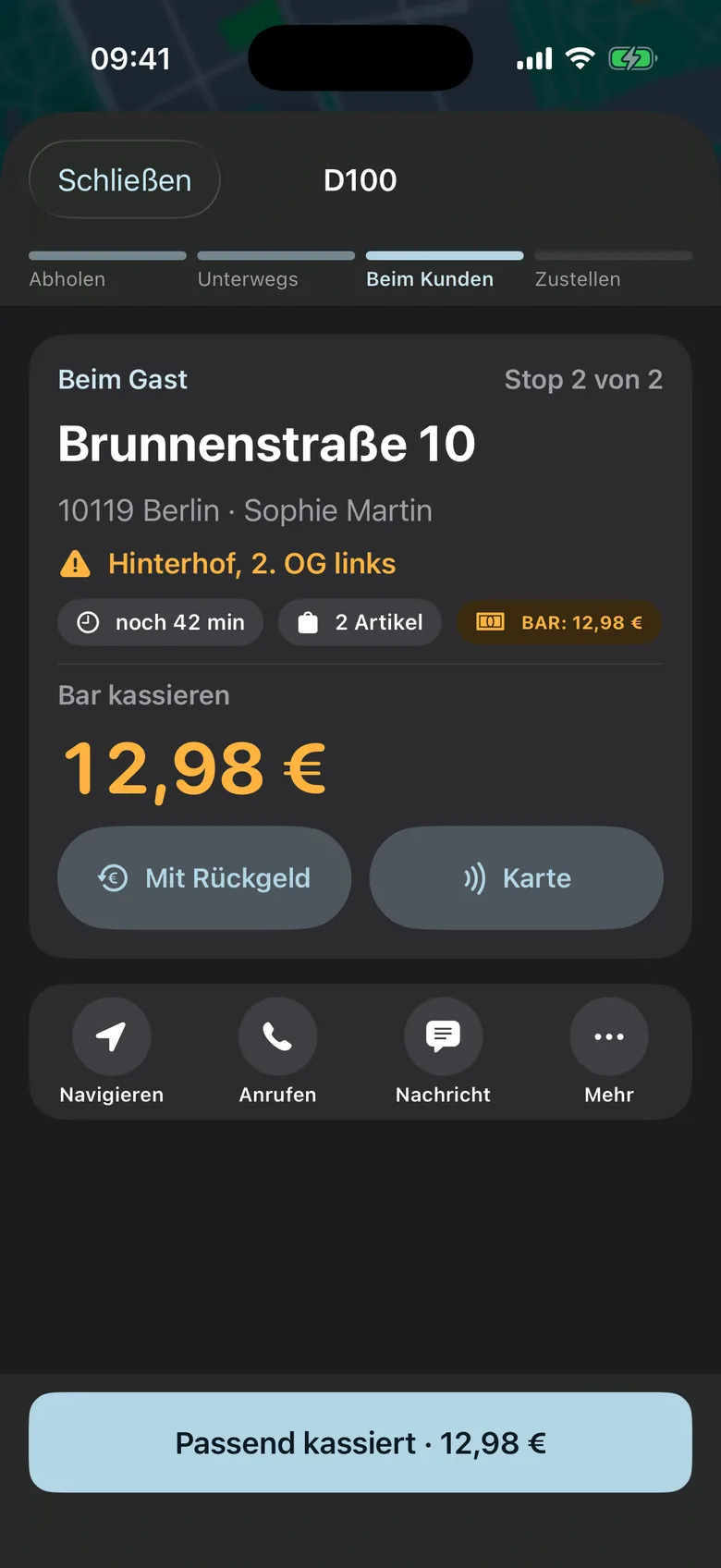
Off, suggest or automatic, per location. Auto-dispatch bundles runs, sends the driver out when the food is ready, and lets you know when nobody is available.
Accept, pick up, deliver. Proof of delivery by PIN, photo, signature or QR code. With no signal, the app remembers each step and reports it later.
Guests follow the status, arrival time and driver on a tracking page in the browser, and rate the delivery with one tap at the end.
The POS does the math. To the cent.
At the counter, the iPad rings up orders with live prices from the server. Whatever gets rung up there lands instantly in the same kitchen as every other order.
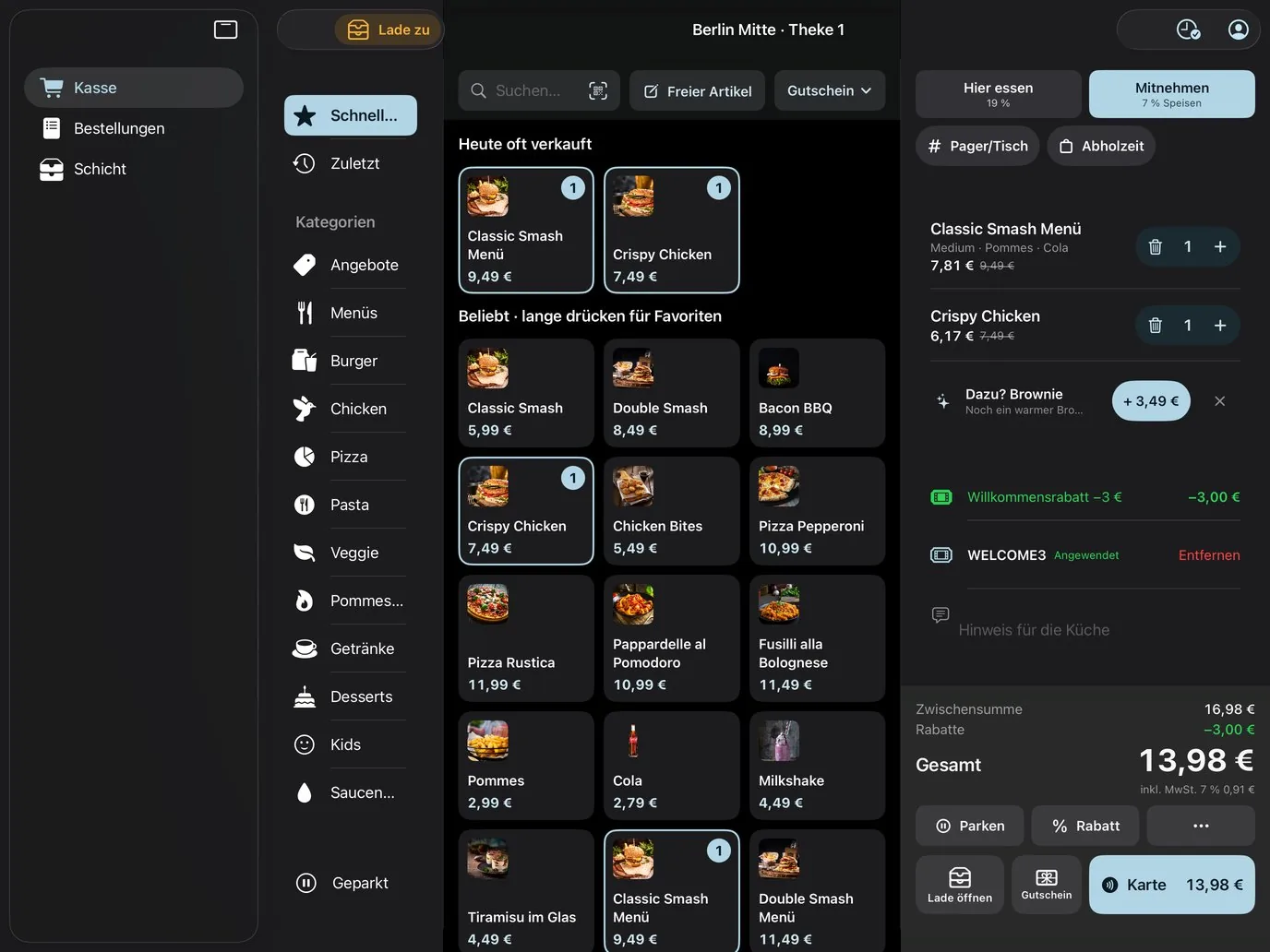
- Promotions and coupons live from the server, list price crossed out
- Cash with a change calculator, or card at the terminal
- Digital receipt via QR code instead of a paper roll
- Park orders, order history and daily summary
The waiter app.
Every table in your hand.
Native on the iPhone: keep an eye on your tables, take orders tableside, fire courses and take payment. Every order goes straight to the kitchen and onto the table's bill.
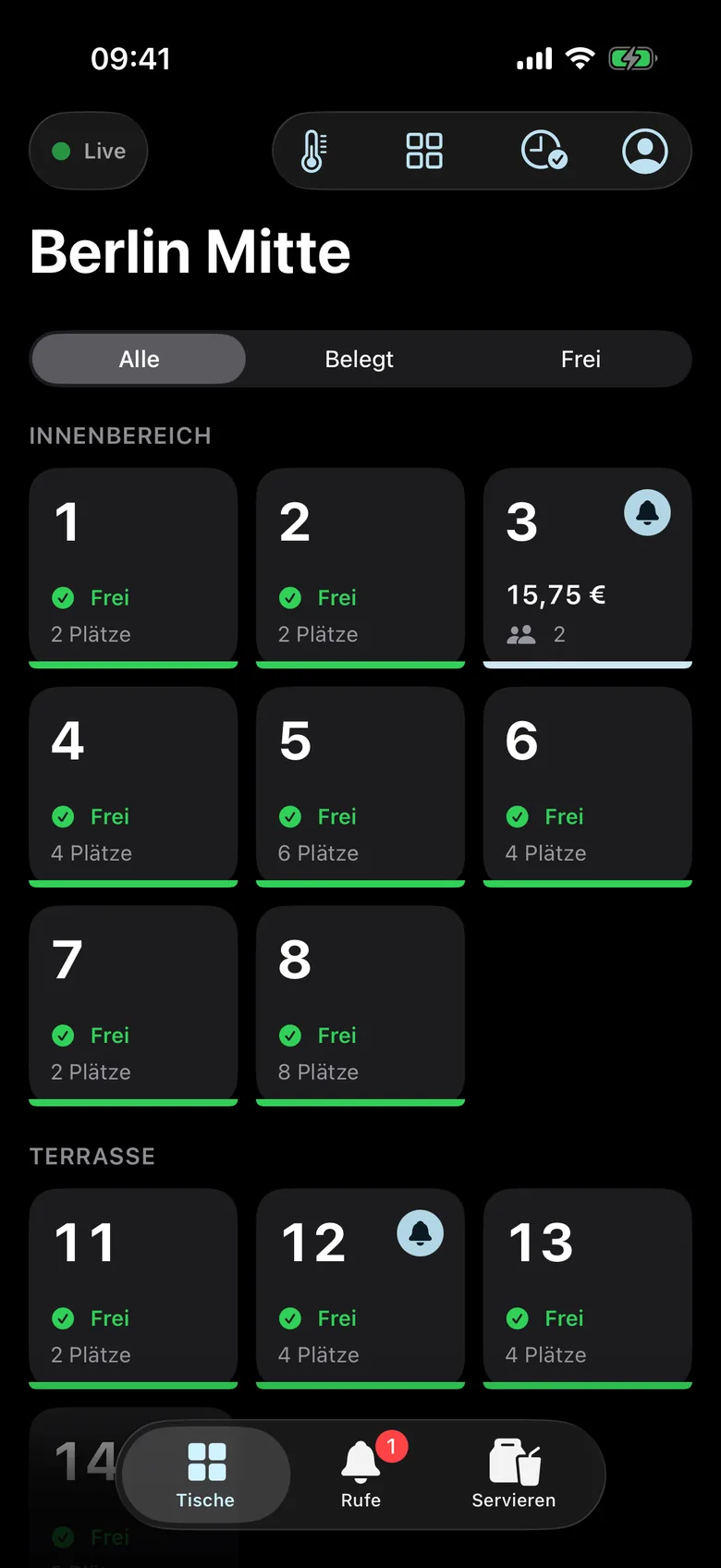
Every table at a glance
Free, occupied, open balance and calls from the table. Updates live, no reloading.
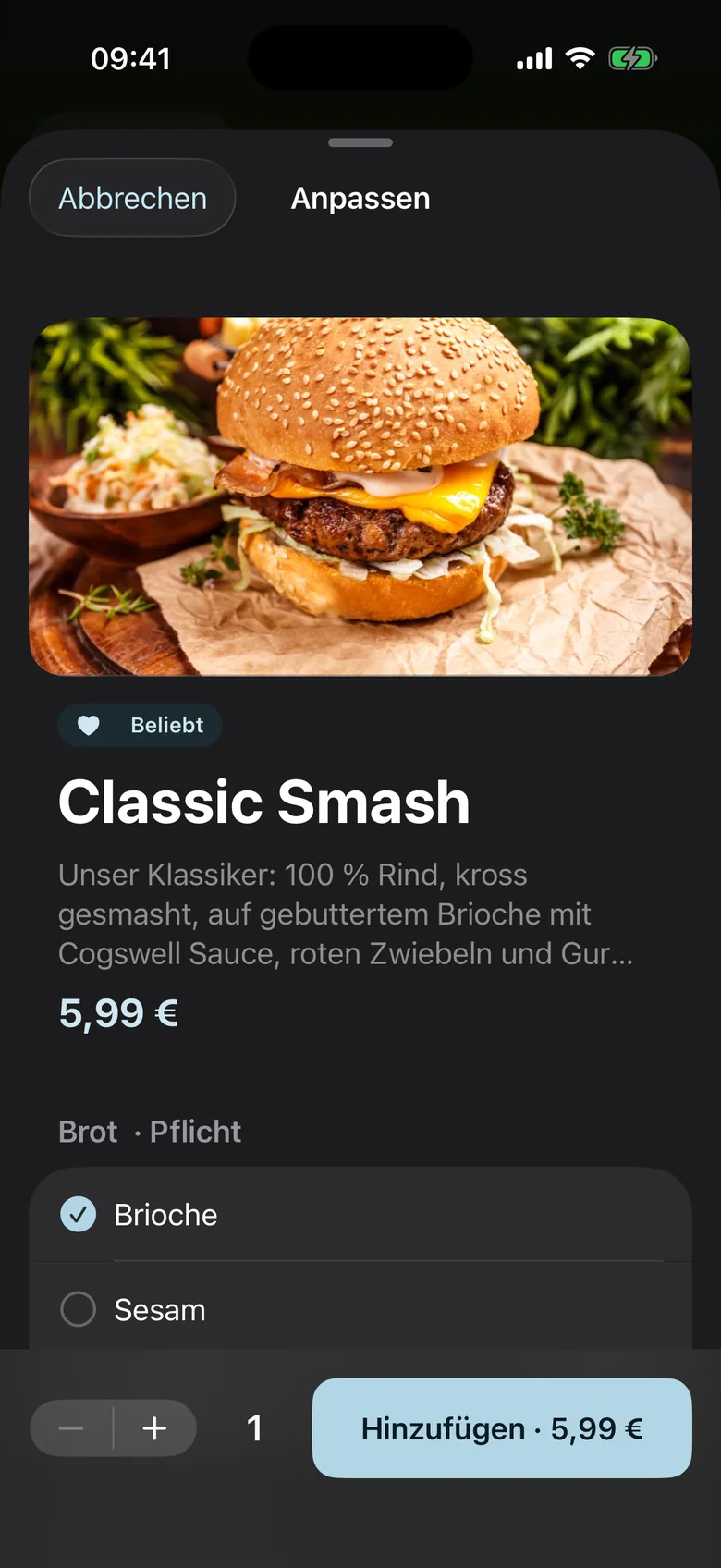
Ordering with a configurator
The app asks for required choices, and sold-out items are locked. Each item gets its course and is fired when the timing is right.
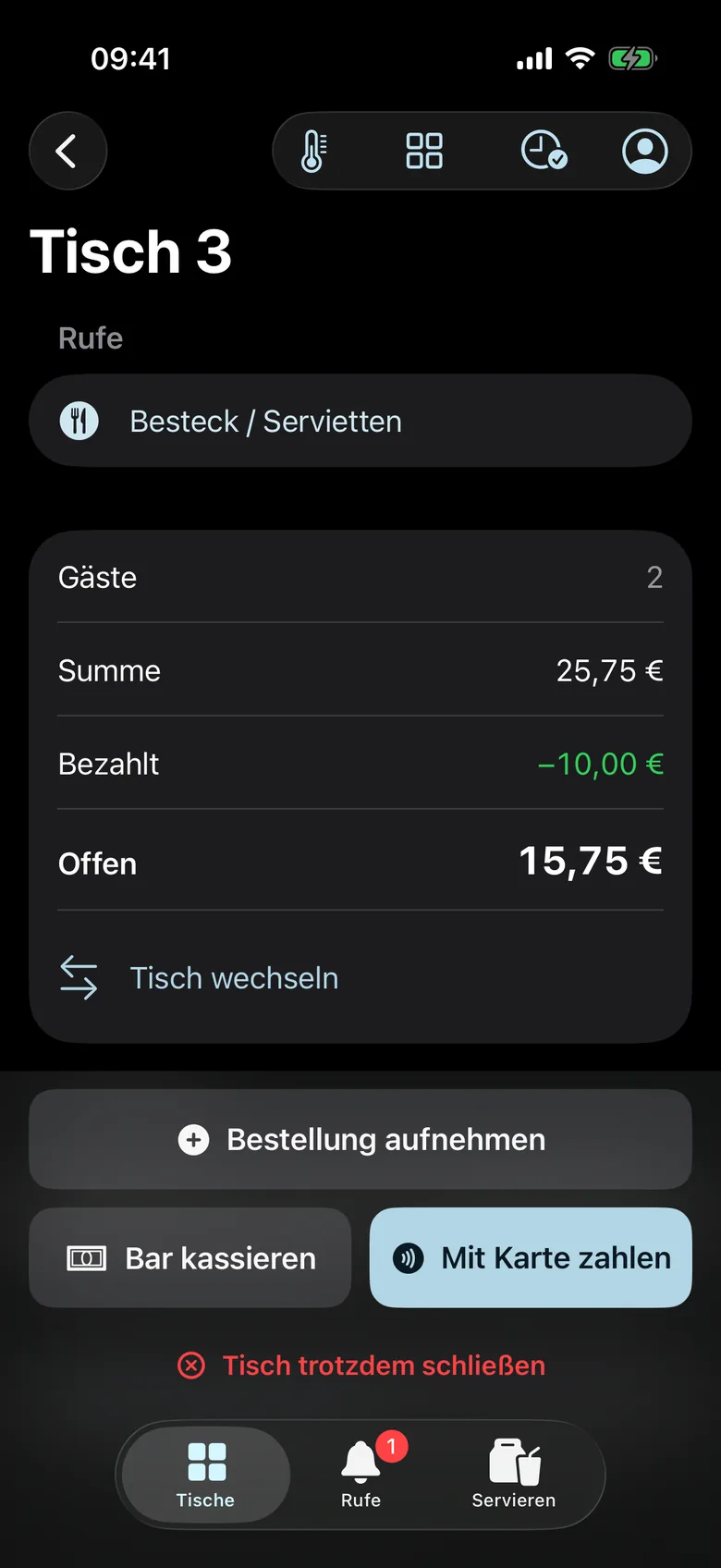
Payment at the table
Cash with tip and change, or a partial amount, move tables and close out. Tap to Pay on iPhone is already prepared.
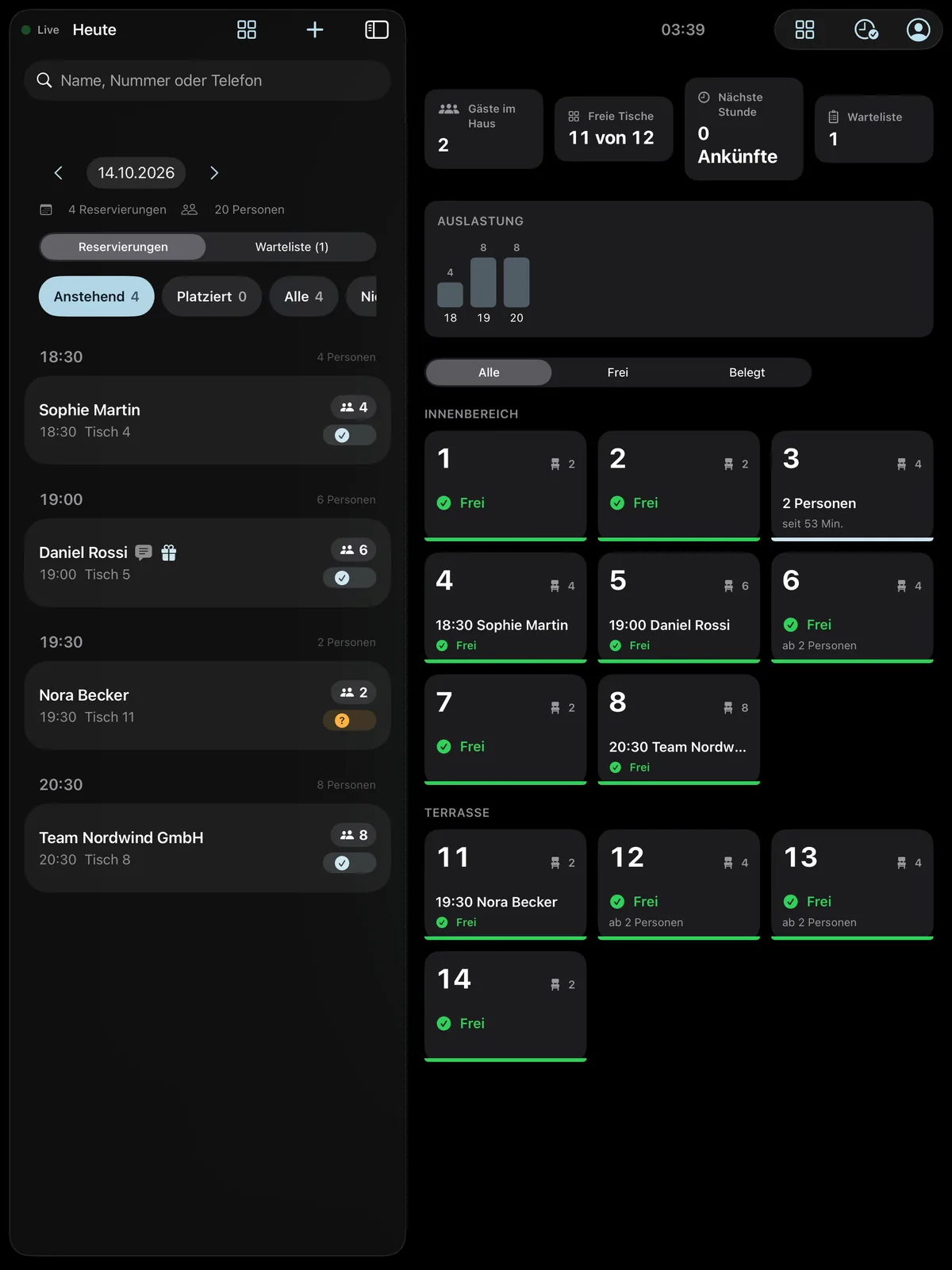
Reservations.
From click to table.
Guests book in the browser, no account needed. At the host stand, the iPad keeps the evening under control: arrivals, occupancy, floor plan and waitlist on one screen.
- Bookings up to 60 days ahead, with a calendar entry and a link to change or cancel
- Tables or table combinations assigned automatically, with no double bookings
- Confirmation and reminders by email, 24 and 2 hours before
- Occasions and notes like “Birthday” right on the reservation
- Walk-ins, waitlist and phone bookings right at the host stand
Here today. There tomorrow.
Always open for orders.
Cogswell Eat has a dedicated module for food trucks: a schedule with locations, pre-ordering to the location, and pickup without calling out names. So the line gets shorter and your guests know where you are today.
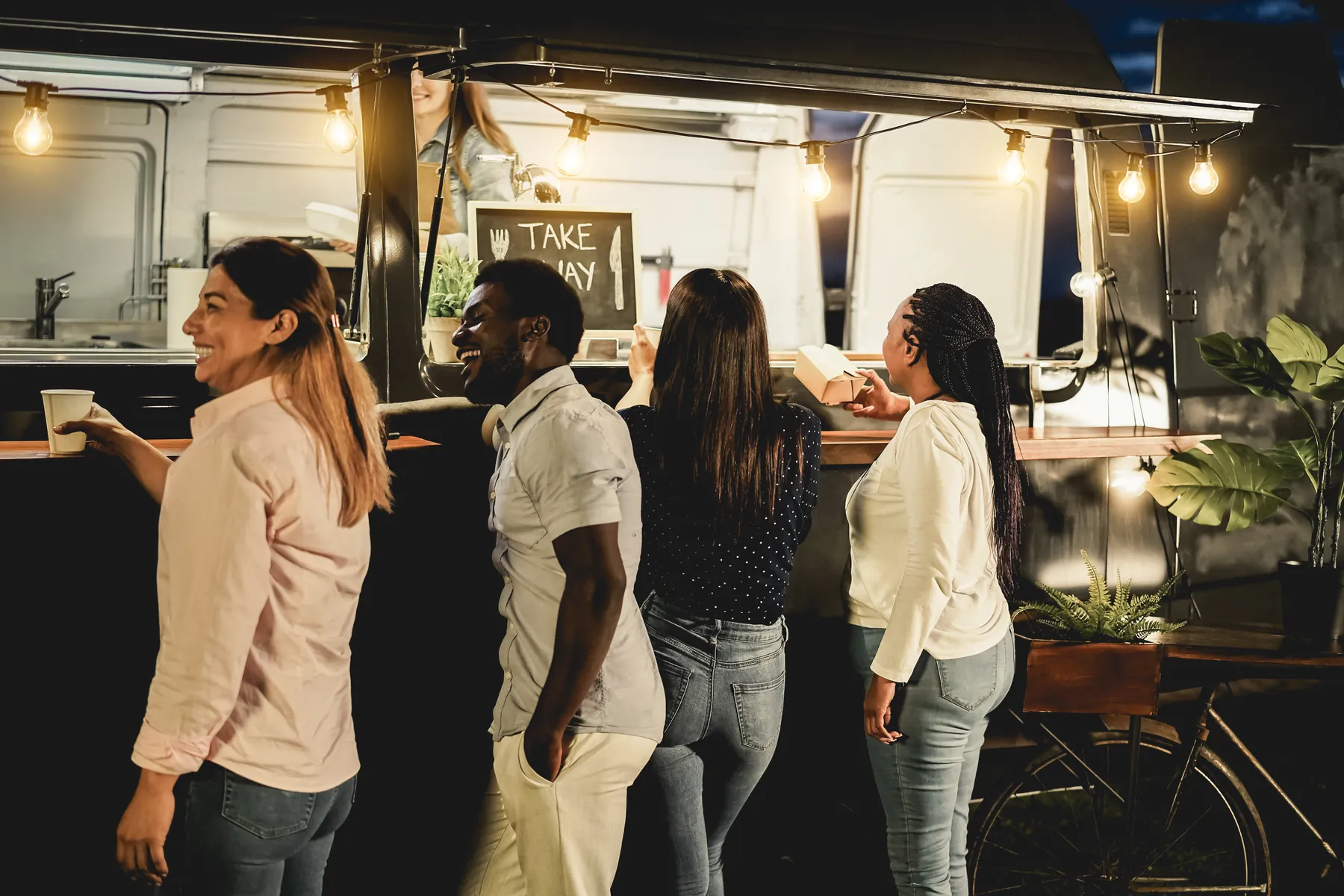
- Schedule with live status. A dedicated truck page shows where you are right now and the next two weeks, with a map link and a calendar subscription.
- A weekly plan that keeps itself going. Tuesday at the business park, Friday at the market: set it up once, and the dates roll forward automatically.
- Pre-order to the location. Pickup times only within the time window at each stop, up to seven days in advance, throttled by kitchen load.
- Check in on site. The crew reports arrival and departure, so the live status stays accurate even after a traffic jam.
- Cancel instead of delete. If a stop falls through, guests see “Canceled”, and you get the affected pre-orders with phone numbers.


Change the menu. No IT needed.
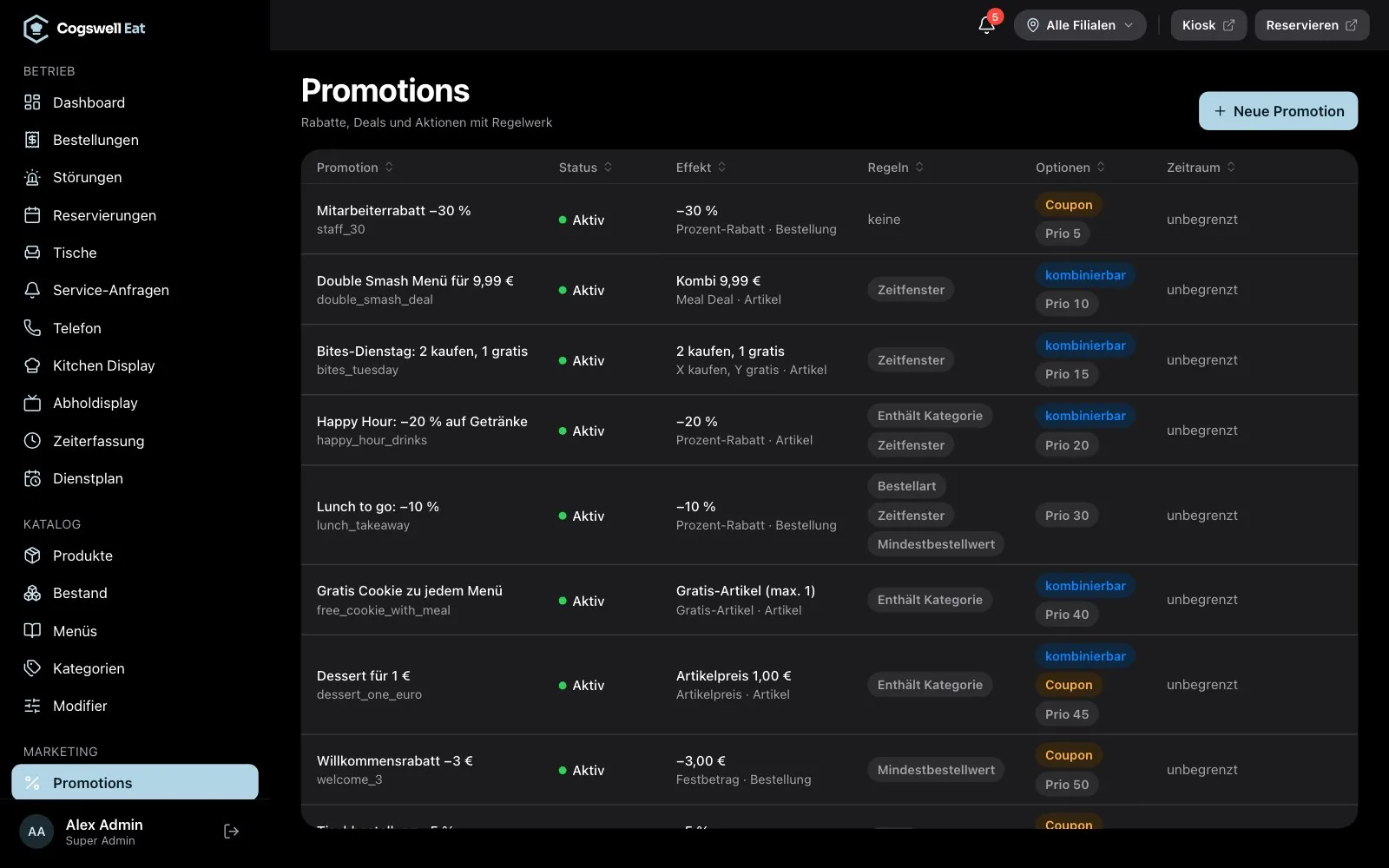
A new lunch promotion, a product that sold out, a different price at one location: the back office changes it for every channel at once. With roles, approvals and an audit log.
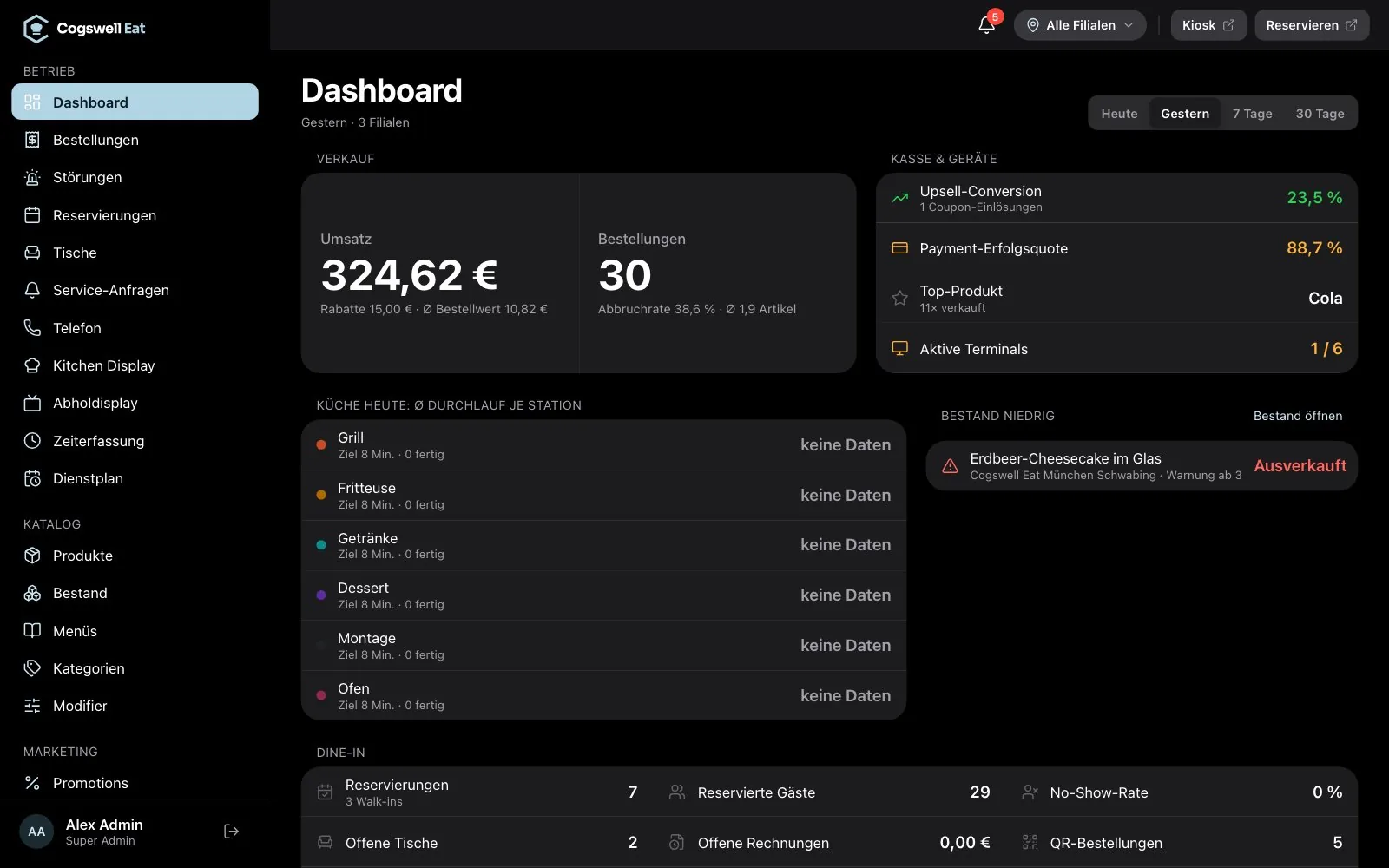
No card data. No customer accounts. No recordings.
In Cogswell Eat, collecting as little data as possible is not a setting, it is the default: every channel asks only for what it needs for the order, and deletes it again.
- Card data stays with the provider
Payments run through certified terminals and providers. The system only stores references.
- Only what is needed, then deleted
Online: name plus phone or email. Phone: name and callback number. Both are removed automatically after 30 days.
- Phone orders without recording
The voice assistant stores neither call recordings nor transcripts.
- Driver location only during a shift
The driver app only sends its location during an active shift. Drivers only see the guest's address once they have accepted the delivery.
- Permissions and accountability
Seven roles with permissions per location, and an audit log for every critical action in the back office.
One location first. Then all of them.
You don't start with a massive project. You start with one location. What works there, we roll out.
Intro call
Free and no strings attached. We show you the system live and talk about your channels, devices and workflows.
- Live demo with your questions
- Which channels first?
- Devices, payments, POS system
Pilot
One location, real devices, real service. We set up the catalog, channels and devices for that location.
- Catalog, modifiers and meals in the back office
- Kiosk, kitchen and POS on iPads
- Payment provider and POS system sorted out
Rollout
More locations and channels, with prices and modules per location, terminal management and permissions per site.
- Locations with their own prices
- Roles for management, kitchen, POS
- Terminals with status and remote commands
Common questions.
What hardware do I need?
Which payment providers are supported?
Does it work with my POS system?
Which languages can guests order in?
Can I change prices and promotions myself?
Do guests need an account or an app?
Does Cogswell Eat work for food trucks too?
How much does Cogswell Eat cost?
Ready for your pilot?
In a free intro call, we show you the system live and figure out which channels make the most sense for your restaurant first.
Cogswell Eat is a product of Cogswell IT. Learn more at eat.cogswell.app.