Cogswell Hub app icon

Your IT.
In one app.

Pay invoices, book appointments, ask for support, sign contracts. Cogswell Hub is the app for Cogswell IT customers.

Free for iPhone, iPad and Android. You get your login with your first order.

The essentials.
At a glance.

Invoice due? Pay it right in the app, by card, Apple Pay or Google Pay.
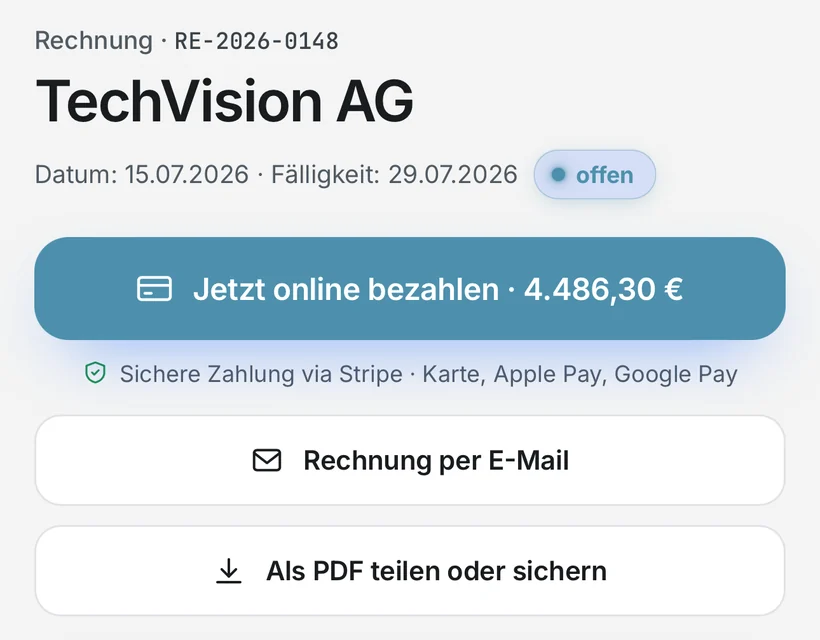
Invoice RE-2026-0148 with the Pay online now button and the note on secure payment via Stripe

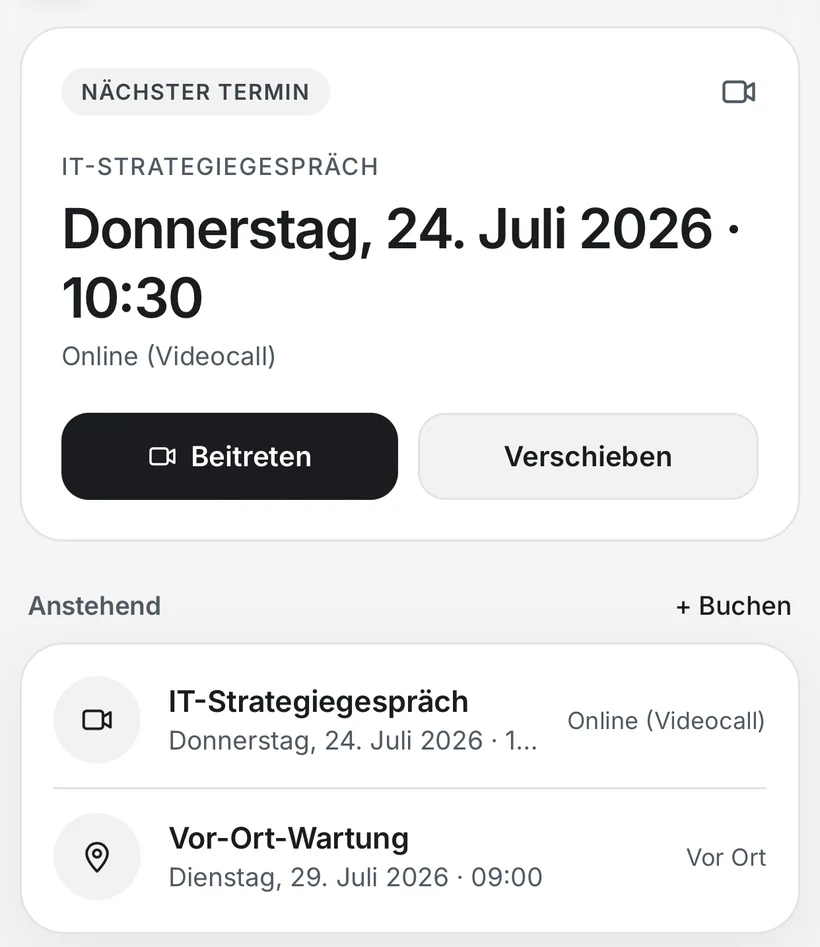
Appointments that are actually free. Join the video call with one tap.

Next appointment, an IT strategy session by video call, with the Join and Reschedule buttons

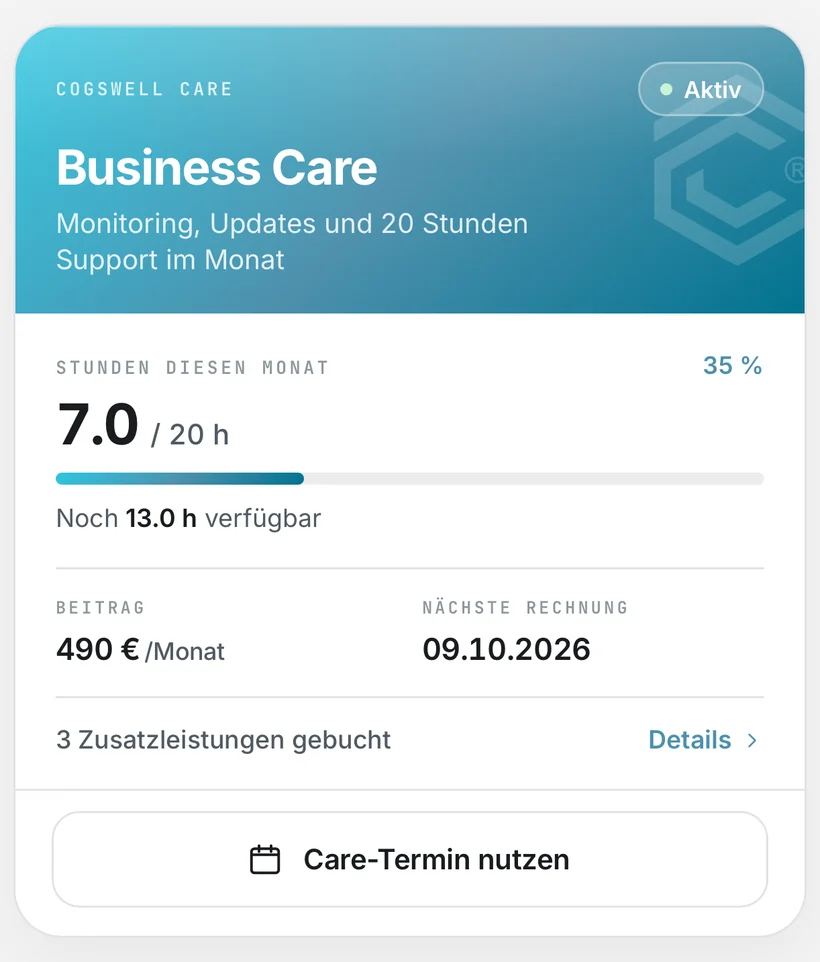
Your maintenance plan. Hours used, time left and your next invoice.

Business Care maintenance plan: 7 of 20 hours used this month, 13 hours available

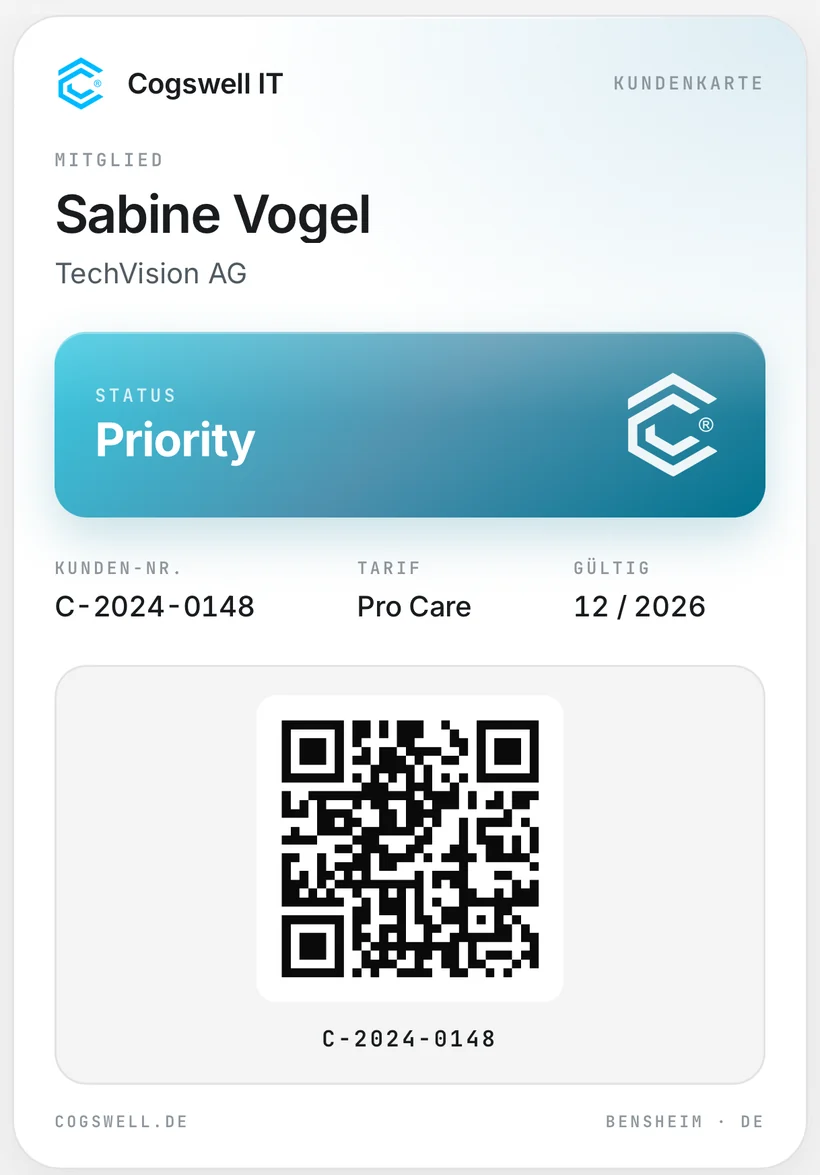
Your customer card. Always with you, with status, plan and QR code.

Digital customer card with Priority status, Pro Care plan and QR code

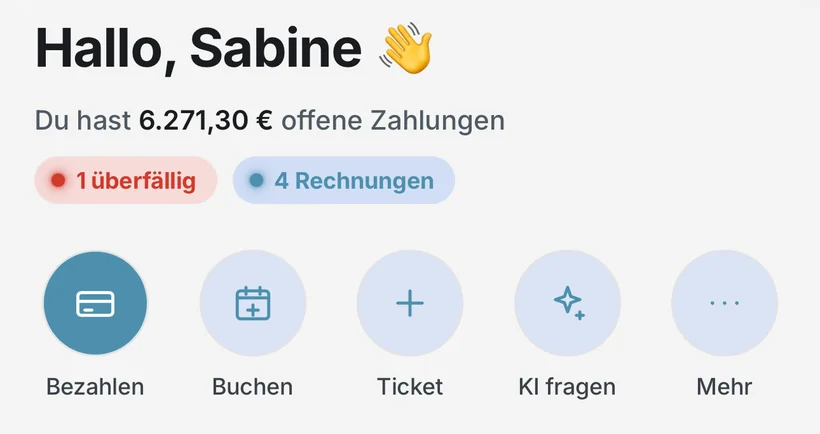
What is open, you see right away. Open payments, anything overdue and the key actions.

Home screen: open payments with one overdue invoice and the actions Pay, Book, Ticket and Ask AI

Five tabs. Everything
between us.

  1. Everything at a glance.

    Open payments, what needs your attention right now, and what happened recently. Pay, book, open a ticket or ask Cogswell AI, the AI assistant: all one tap away.
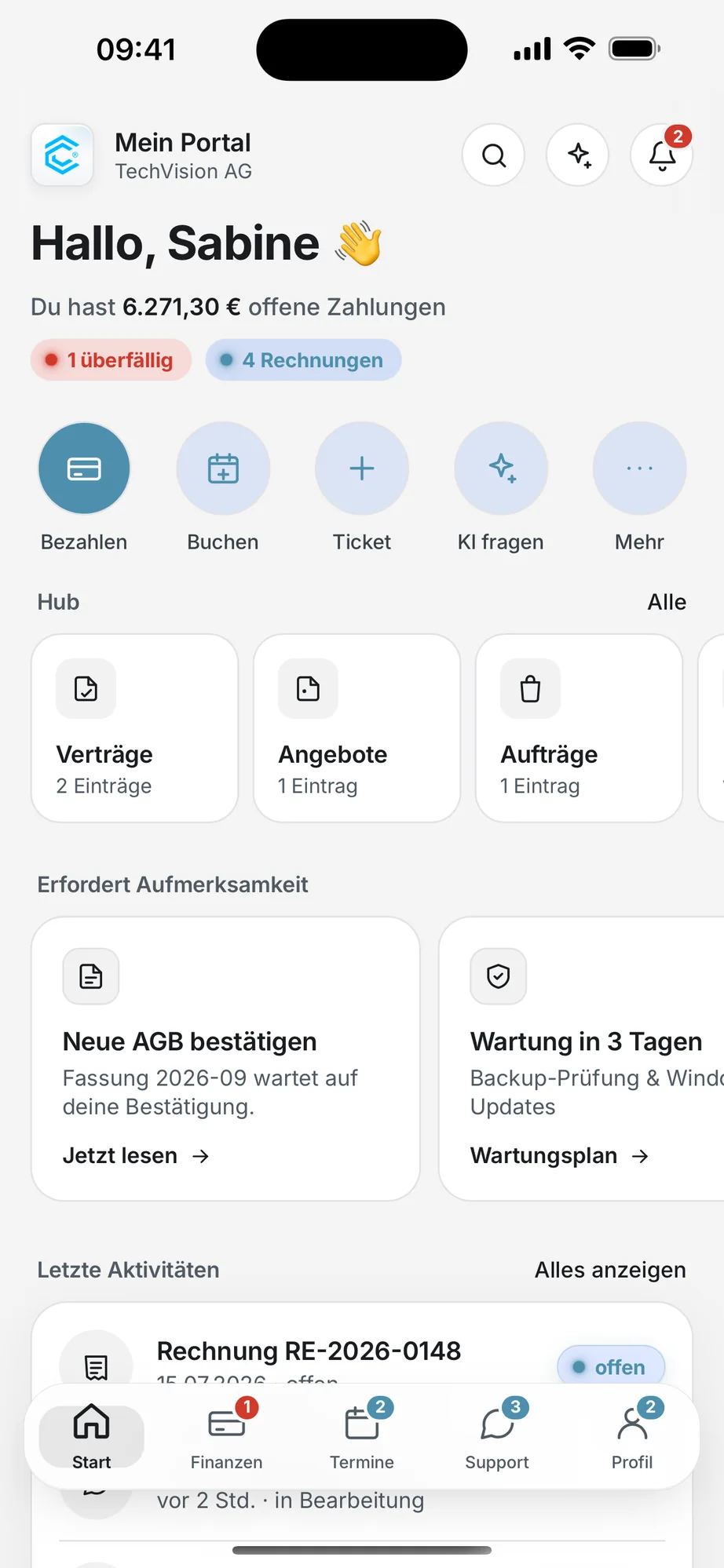
    The app's home screen
  2. Invoices that explain themselves.

    Sorted into open, overdue and paid, each with every line item and as a PDF to share. You pay online by card, Apple Pay or Google Pay. An invoice only counts as paid once the money has actually arrived.
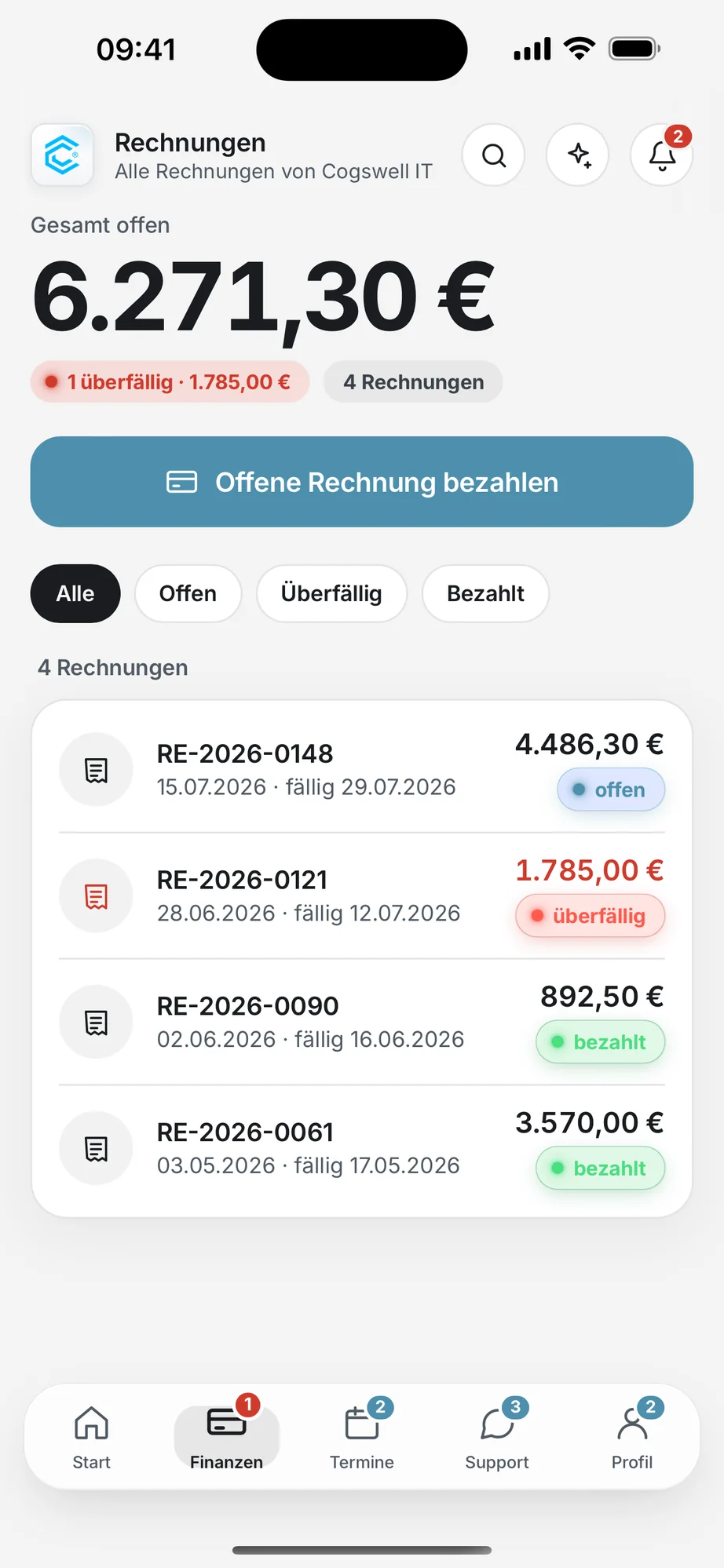
    Invoice overview with the total amount open and filters
  3. Book, reschedule, join.

    IT strategy session, on-site maintenance or support appointment, by video call or at your place. The app only shows times that can actually be booked. When a video call is coming up, one tap on “Join” is all it takes.
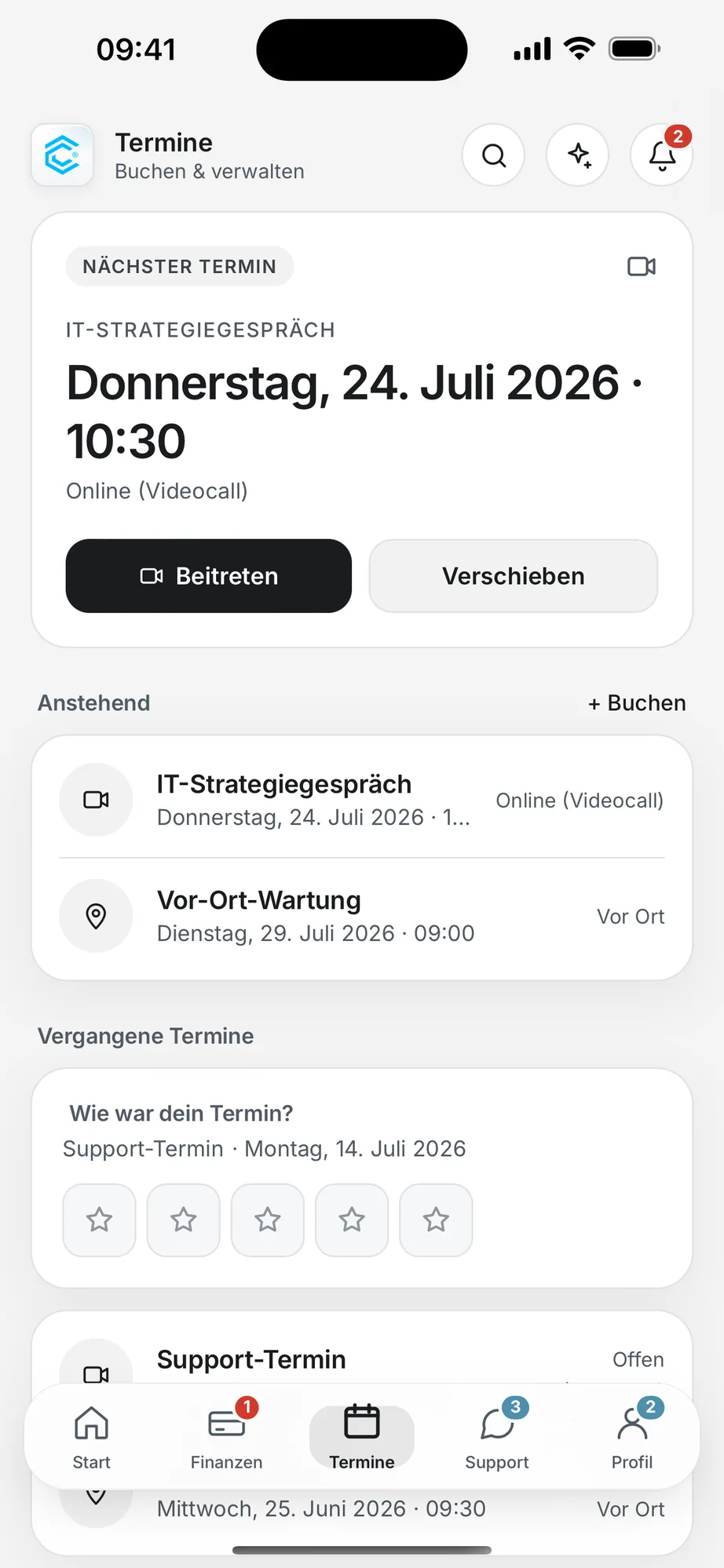
    Appointments overview
  4. Help, without a phone call.

    Report a problem, follow its status, ask in the live chat. And you can always see how many hours of your maintenance plan are left this month.
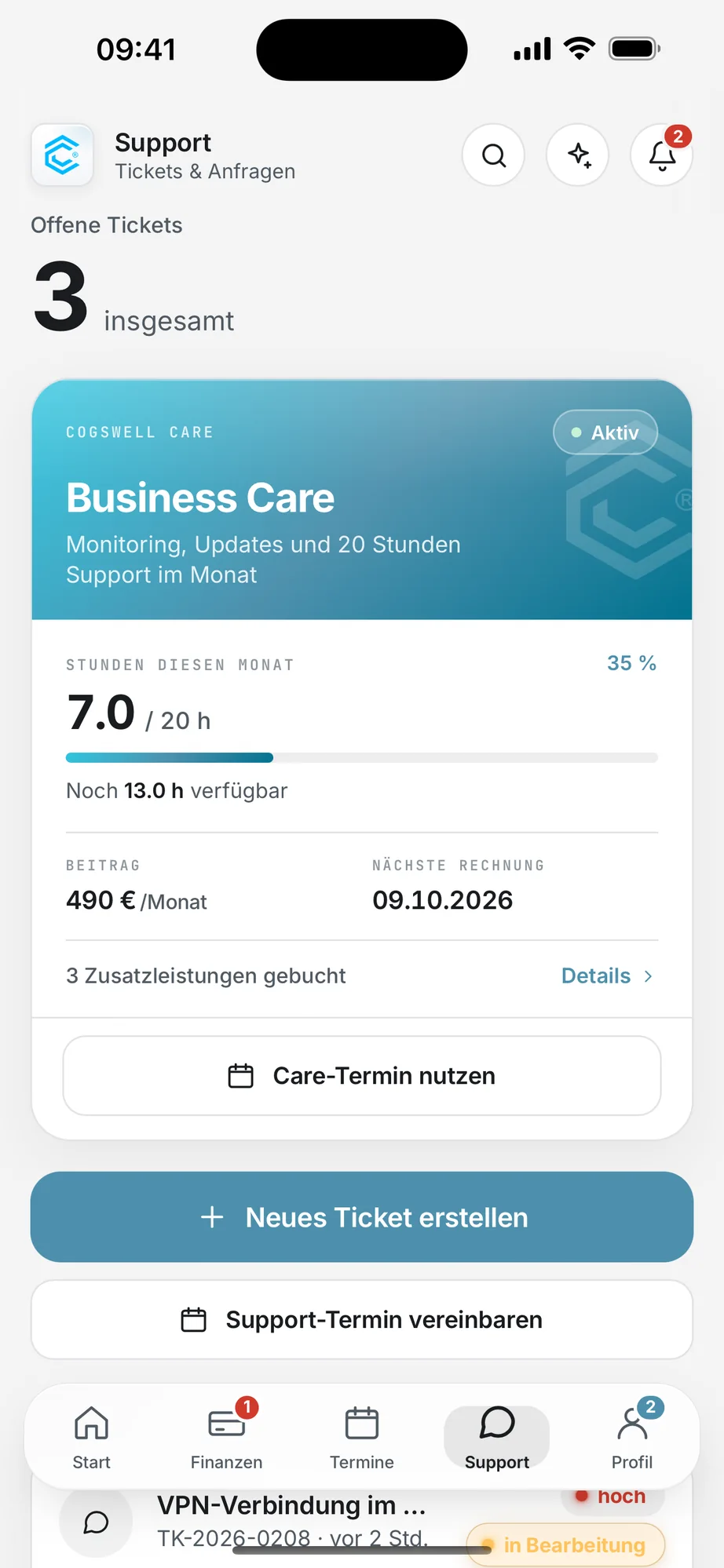
    Support with tickets and Care hours
  5. Customer card, contracts, perks.

    Your digital customer card with status, plan and QR code. You sign contracts and quotes right in the app, and your active coupons are always with you.
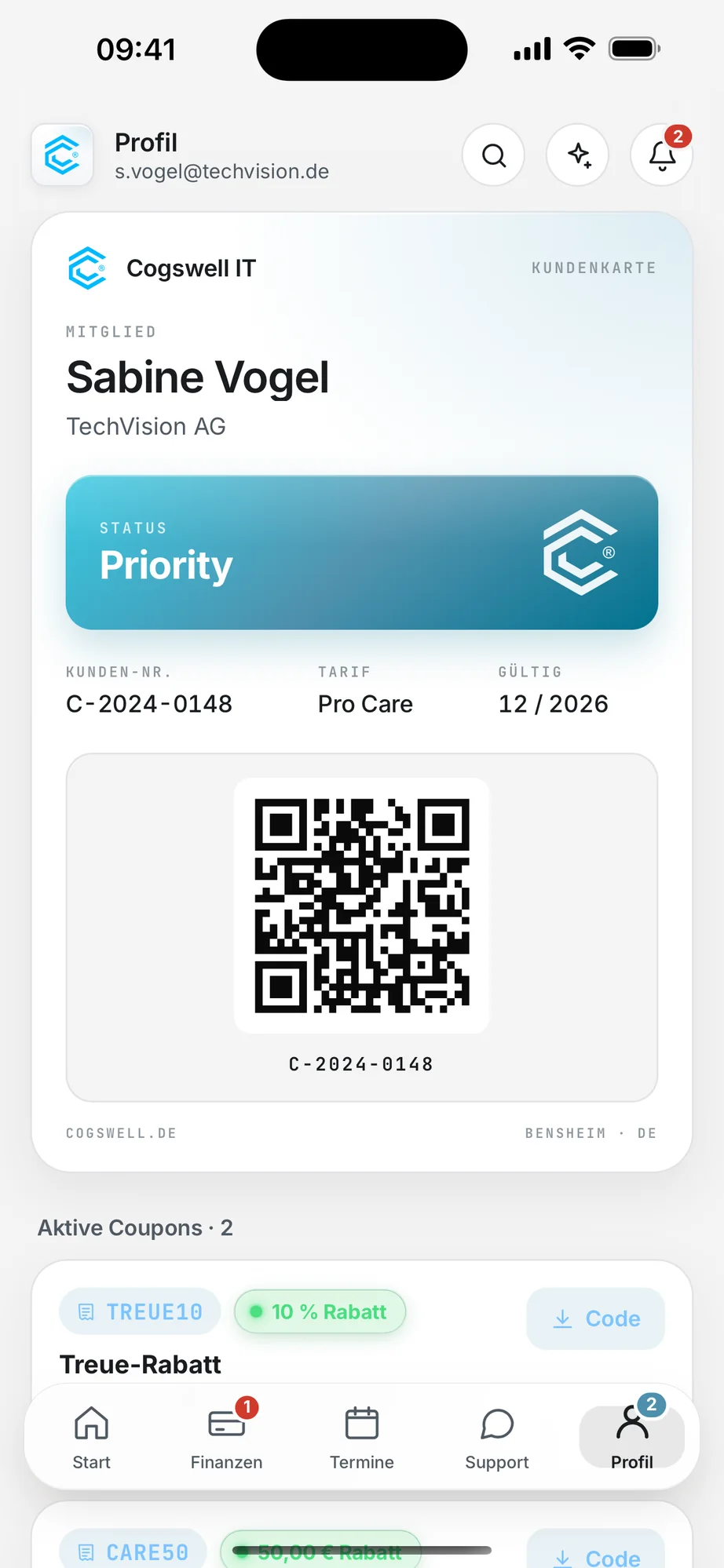
    Customer card

On iPad.
Even more overview.

The same app, more room: every area of the Hub in one row, notices side by side and your recent activity at full width. Ideal at the office, when you go through invoices and contracts at your own pace.
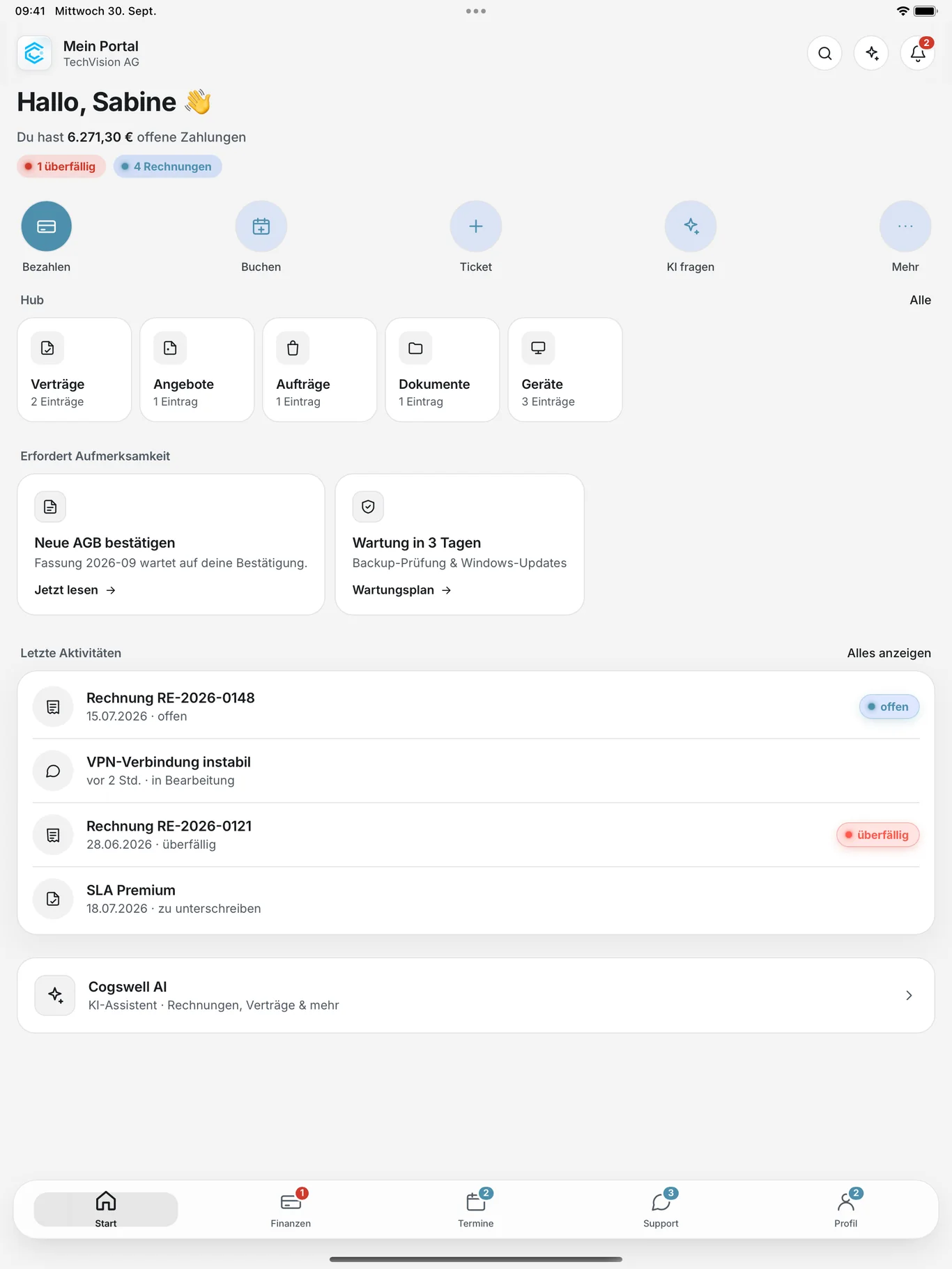
Cogswell Hub on iPad: home screen with open payments, Hub, notices and recent activity

Built secure.
Your chat stays in Germany.

Live chat on our own servers.

The support chat runs on our own servers in Germany.

Payments via Stripe.

Your card details go straight to the payment provider, not to us.

Signed out means signed out.

Once you sign out, your device no longer receives notifications about your account.

Checked attachments.

Links in ticket attachments are checked before opening and only open as secure web addresses.
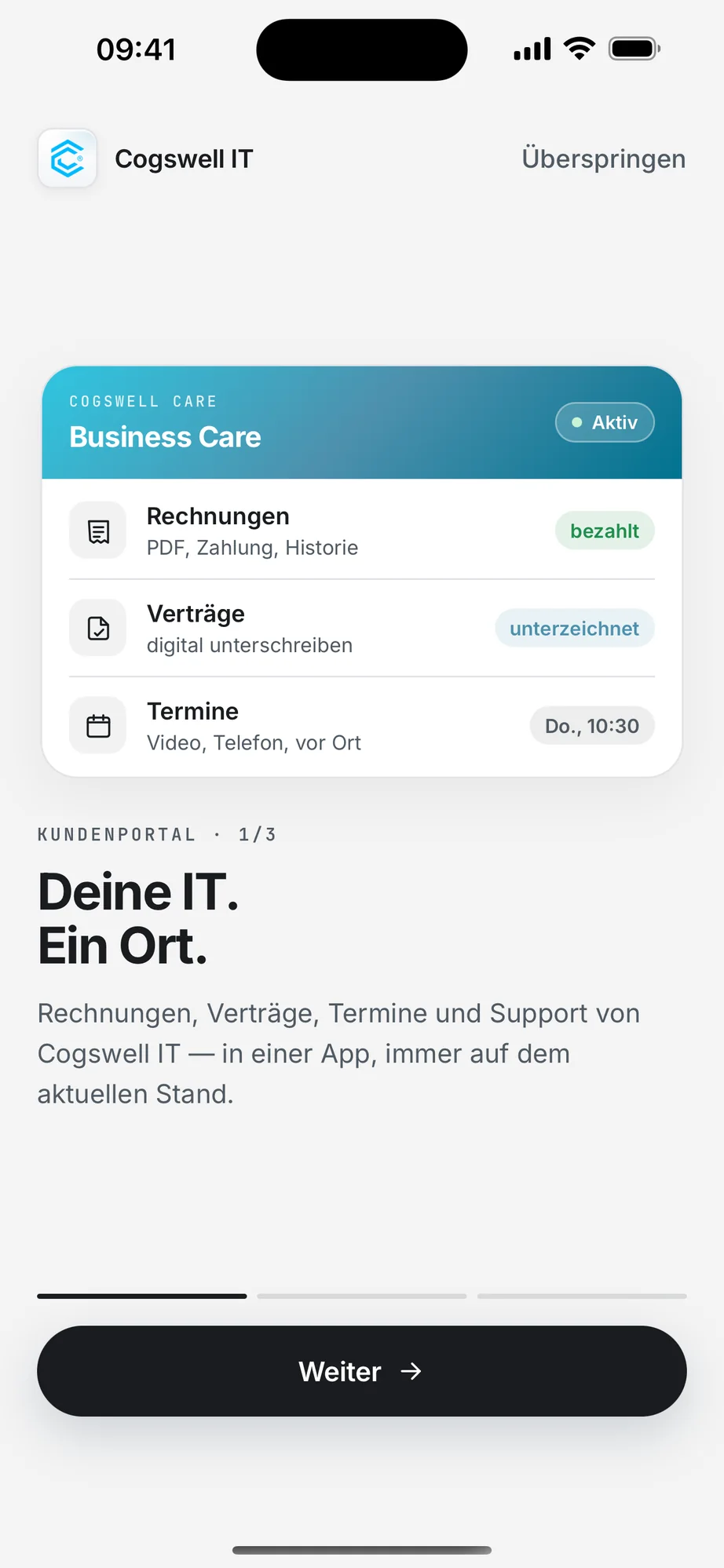
Welcome screen in the app: Deine IT. Ein Ort. (Your IT. One place.)

How to get in.

  1. Place an orderWith your first order, we set up your login.
  2. Get the appFree on the App Store and Google Play.
  3. Sign inWith your login details. Allow notifications and you won’t miss a reply or an invoice.

Not a customer yet? Book a free consultation

Get Cogswell Hub.

Free for iPhone, iPad and Android.